Simulation Areas
A Simulation Area is a part of a network that will be simulated:
- in hybrid meso-micro simulations: using microsimulation when the rest of the network is simulated using mesoscopic simulation.
- in hybrid macro-meso simulations: using mesosimulation when the rest of the network is simulated using macroscopic assignment.
This hybrid simulation allows Aimsun Next to model some areas in detail and to include the effect of changes in these areas in a wider model. For example, where there are many routes in a network, but development effort is focused on one, that route can be modeled in microsimulation to take into account the detail changes without incurring the overhead of microsimulating the whole network. The effect of the changes will however be felt over the whole network and this will be included in the network mesoscopic simulation
Creating a Simulation Area
The process used to create a simulation area is similar to the one used to create a subnetwork.
Once the geometry for the area that is to be analyzed has been created, the simulation area can be defined. First create a polygon that encloses the area. Refer to the Polygon editor section on creating a polygon. Next convert it to a simulation area by right clicking on the polygon and selecting Convert To / Simulation Area.
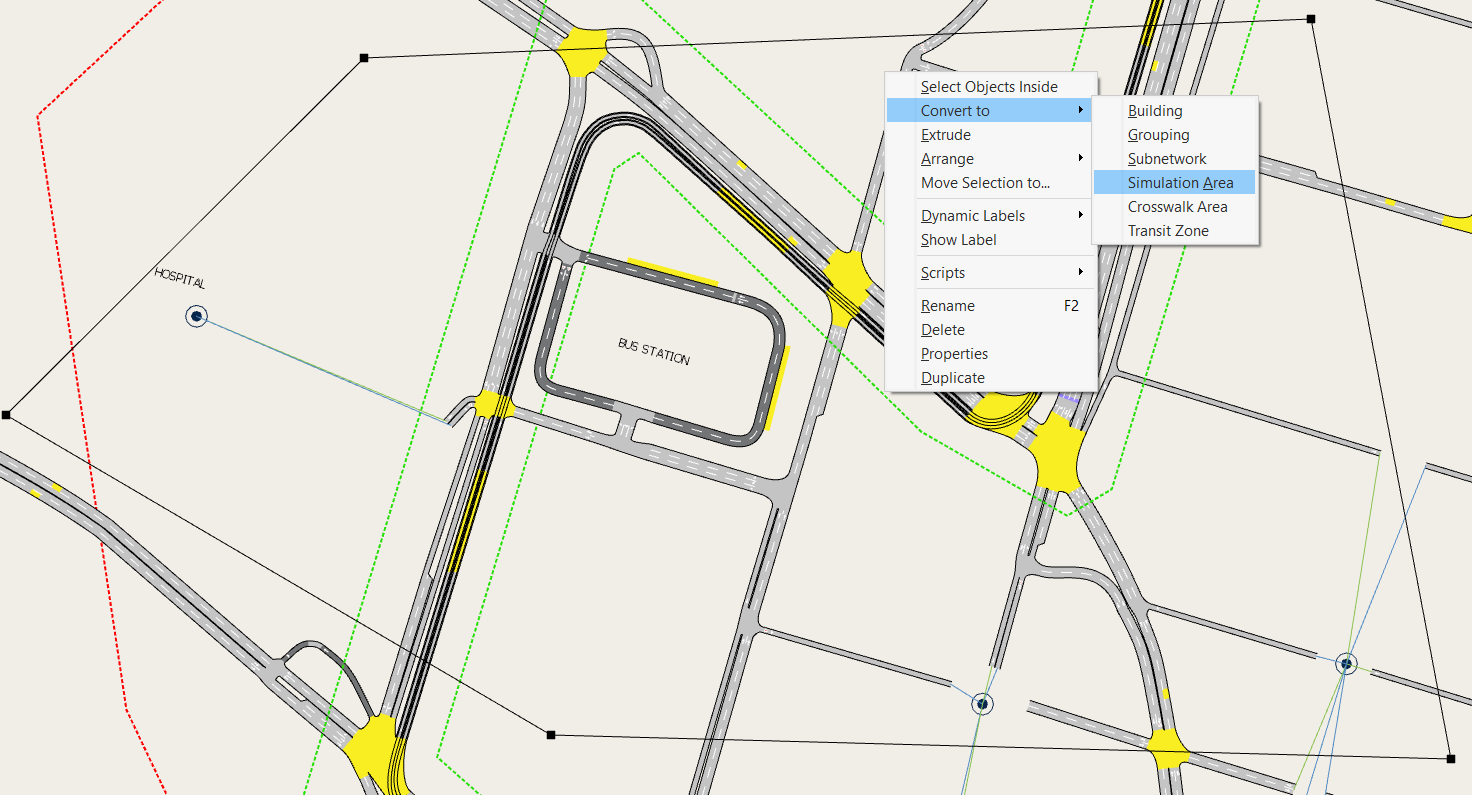
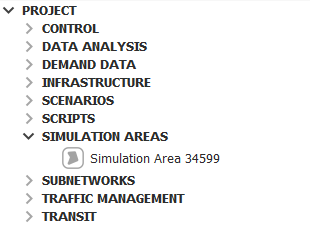
The polygon shape will change to a green discontinuous line defining the border of the simulation area and a new simulation area will be added to the Project window in the Simulation Areas folder, as shown below.
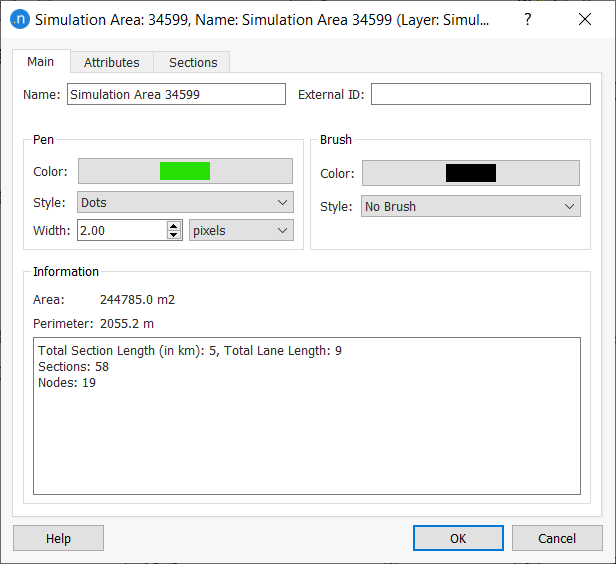
The simulation area editor can be accessed either by double clicking on the simulation area in the Project window or by double clicking on the simulation area polygon (provided that the Simulation Areas layer allows editing, otherwise the simulation area polygon is not selectable). The appearance of the polygon can be changed in the simulation area editor, just as with regular polygons.
After converting the polygon into a simulation area, the objects of the network that will belong to the simulation area are the ones fulfilling the following criteria:
- A node is considered to belong to the simulation area if at least one of its turns is completely inside the polygon.
- A section belongs to the simulation area if is completely inside the polygon or if the destination node belongs to the simulation area. That is, when one input section of a node is inside the simulation area, then all input sections are considered to belong to the simulation area. This restriction is needed by the hybrid meso–micro approach and, even though is not strictly necessary for the hybrid macro–meso approach, the same rule is used for consistency across all hybrid models.
Another way to define a simulation area (for example, for the highway part of a network) is by setting the polygon to use a set of sections instead, as shown in the figure below.
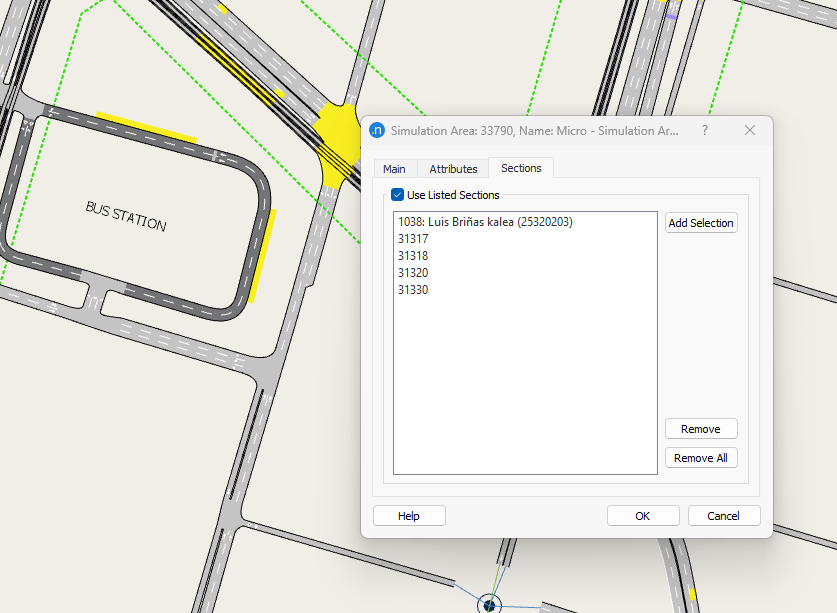
Sections are selected directly in the view and by clicking the Add Selection button; they will be added to the list. In this case, the simulation area contains all the sections listed, plus all the destination nodes of these sections plus all sections ending at these nodes.
To remove one or multiple sections from the section list, you first need to select the sections and select the button "Remove". To remove all sections, press the button "Remove All".